New Feature
Assign an existing employee to a job
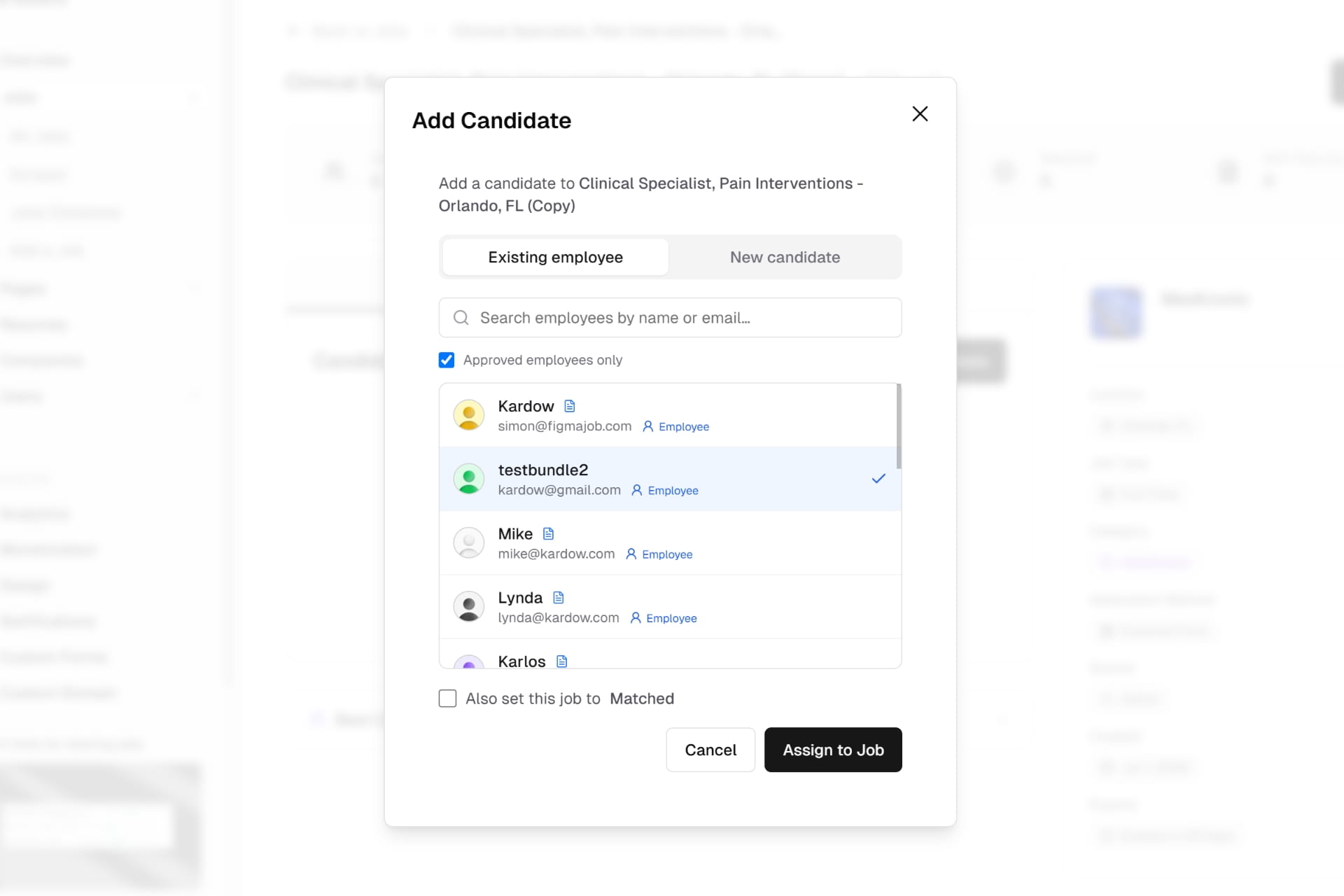
- When you add a candidate to a job, the dialog now has an Existing employee tab so you can attach someone who already has an account on your board — no more asking them to go back and apply.
- Just start typing a name or email and matching employees show up instantly, along with their resume indicator and role. Pick one and click Assign to Job.
- By default the list shows only approved employees (the people you've cleared to work), but you can untick that to search everyone.
- Theiai-gateway-providerr resume and profile come across automatically — the resume they uploaded when they signed up shows right on the candidate row, nothing to re-upload.
- Need to add someone brand new instead? The New candidate tab is the same manual form as before, unchanged.
- There's also an optional "Also set this job to Matched" checkbox, so you can assign the employee and mark the job matched in one step — or leave it off and change the status yourself later.