New Feature
See where your members come from
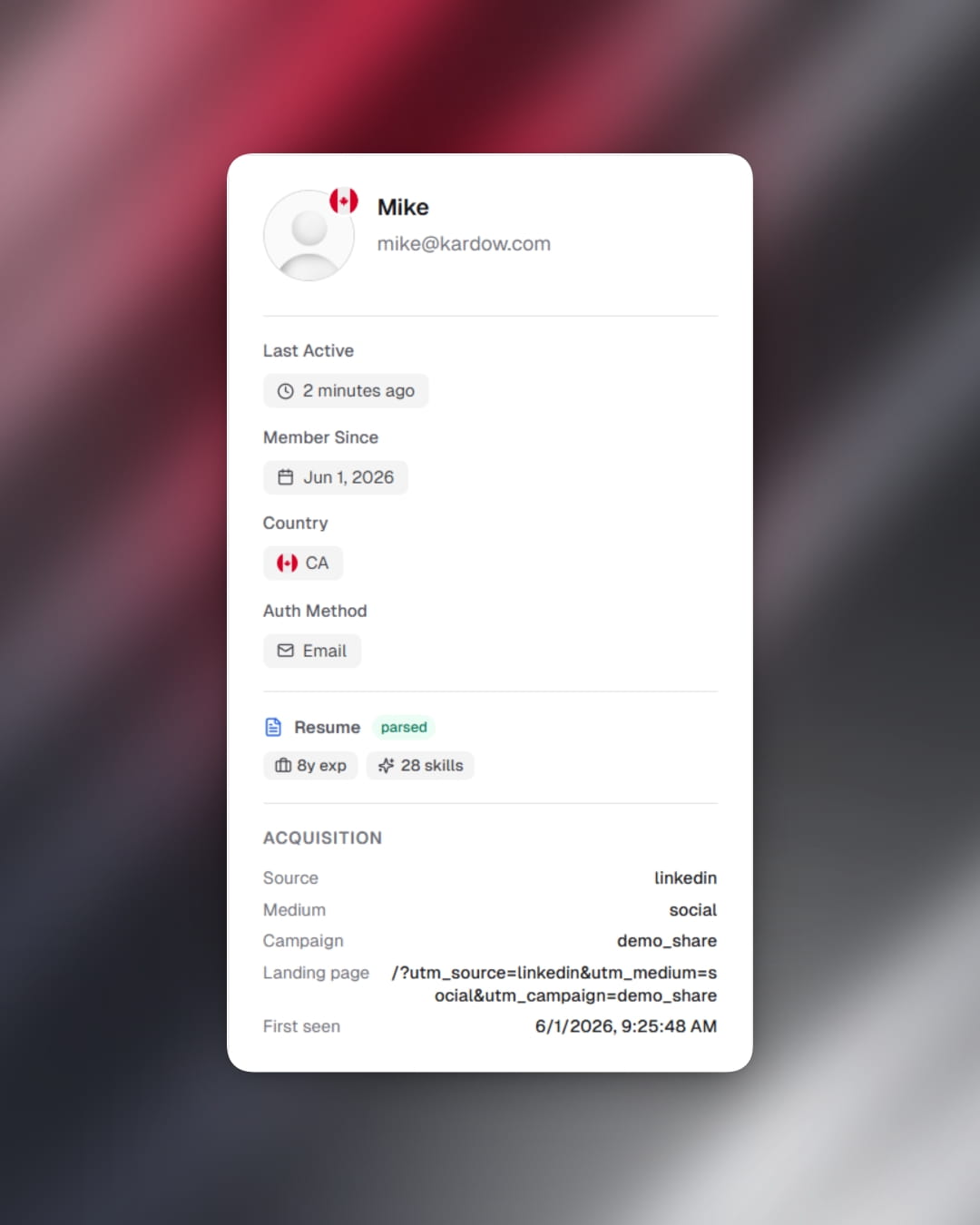
- Your dashboard now shows where each new member came from when they signed up — whether that's LinkedIn, a Google ad, a direct link, or any other source.
- Open any user from the Users section and you'll see a new Acquisition block with the traffic source, medium, campaign, referrer, landing page they first visited, and when they were first seen.
- If a user clicked a UTM link more than once before signing up, you'll also see both their first touch (where they originally came from) and their last UTM touch (what finally brought them back).
- This works automatically for every new signup — no tagging or setup needed on your end. Just make sure your links have UTM parameters and the data shows up.
- Attribution tracking is on by default on all boards. If you'd prefer to turn it off, you can do so from Design → Integrations → Attribution Tracking.